2026-11-27
Putting a sign-in in front of an app
The third skill in the first pack makes an app private: anyone who opens it gets a sign-in page first, and only the people you choose get through. Today I tested it on a throwaway site called ship-test.
What does the work
Cloudflare Access sits in front of the site and handles the sign-in before a request ever reaches it, so the app itself needs no login code. Access is part of Cloudflare Zero Trust, which is free for up to 50 users.
Turning on Zero Trust for the first time asks for a team name and a plan. Even on the free plan it asks for payment details, though it doesn’t charge. Claude stopped and left that step to me.
Turning it on
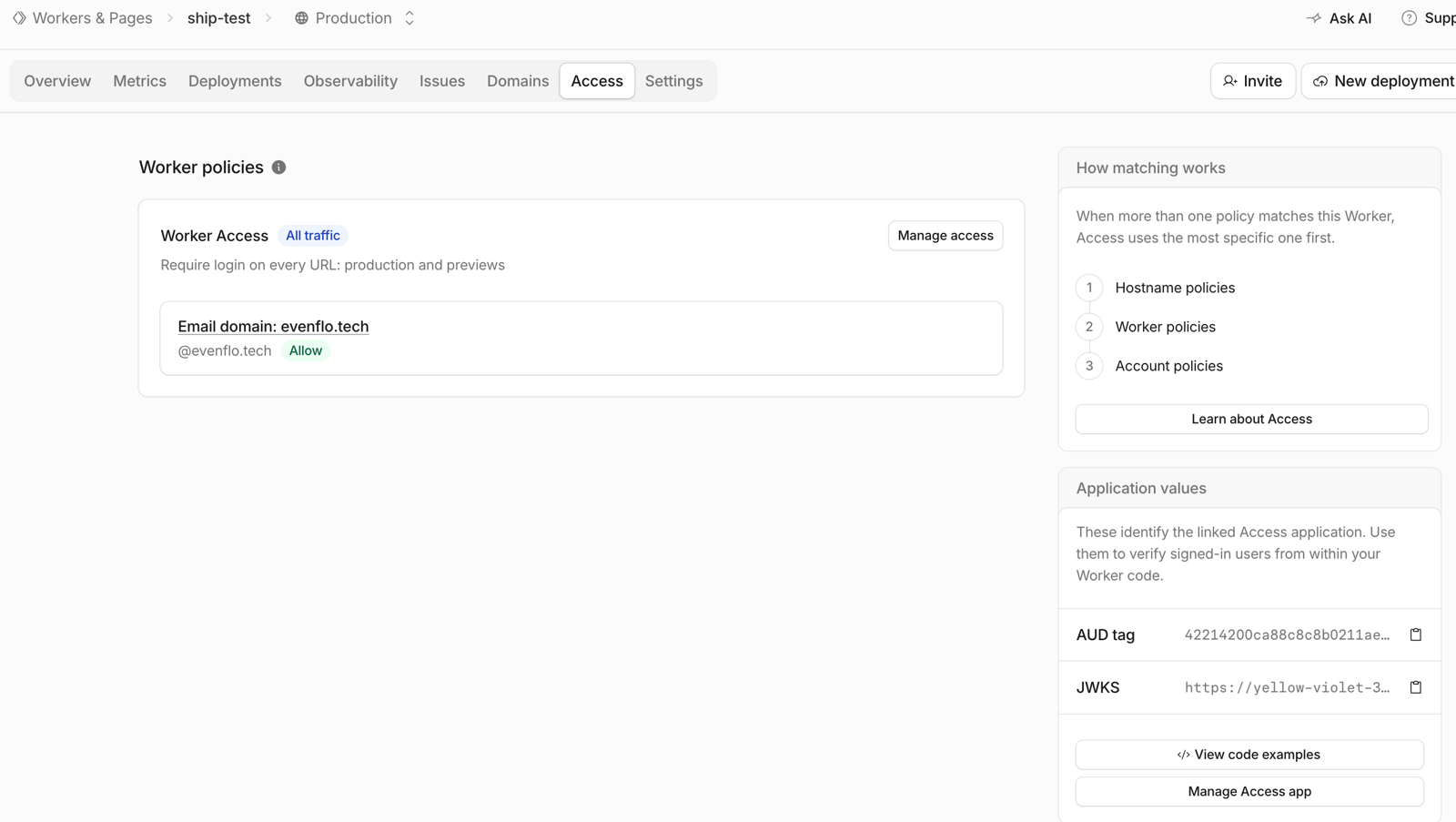
Each Worker now has its own Access tab. You pick “Previews only” or “All traffic”, say who can sign in, and apply. I chose all traffic, and anyone with an evenflo.tech email address.
The sign-in page with one button
Opening ship-test now showed a sign-in page. But it only offered one way in:
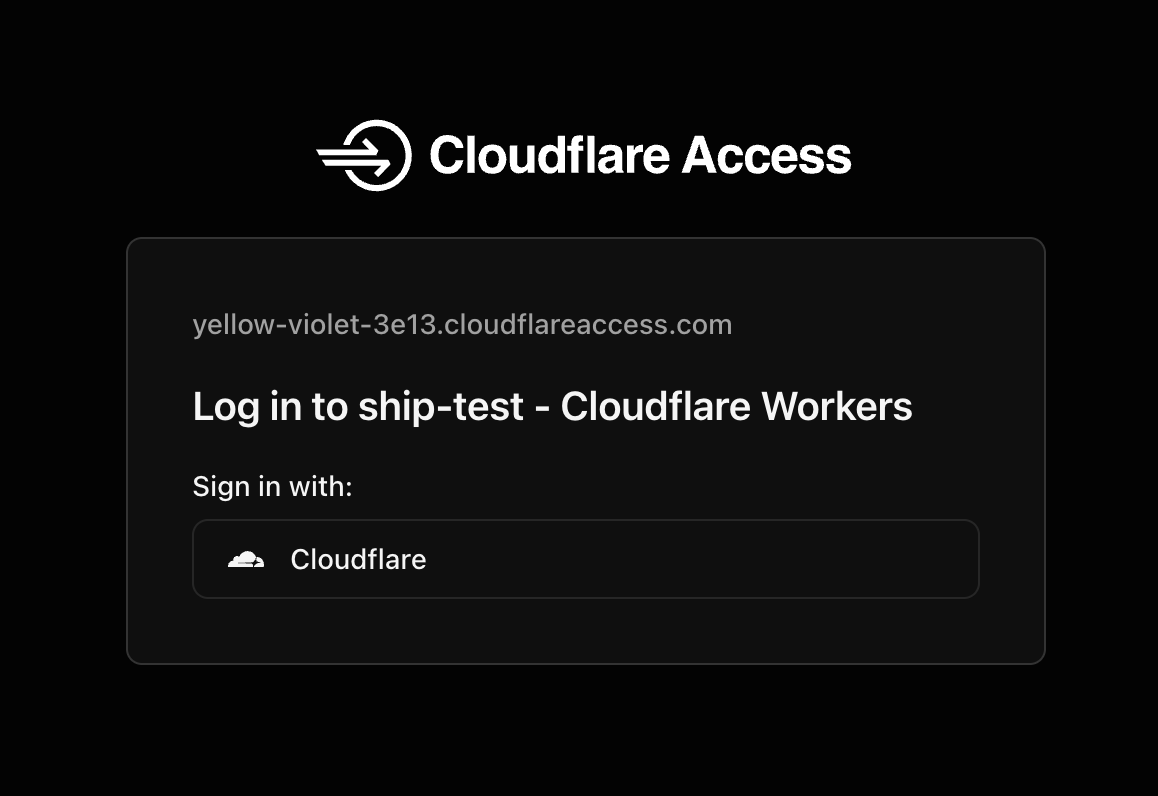
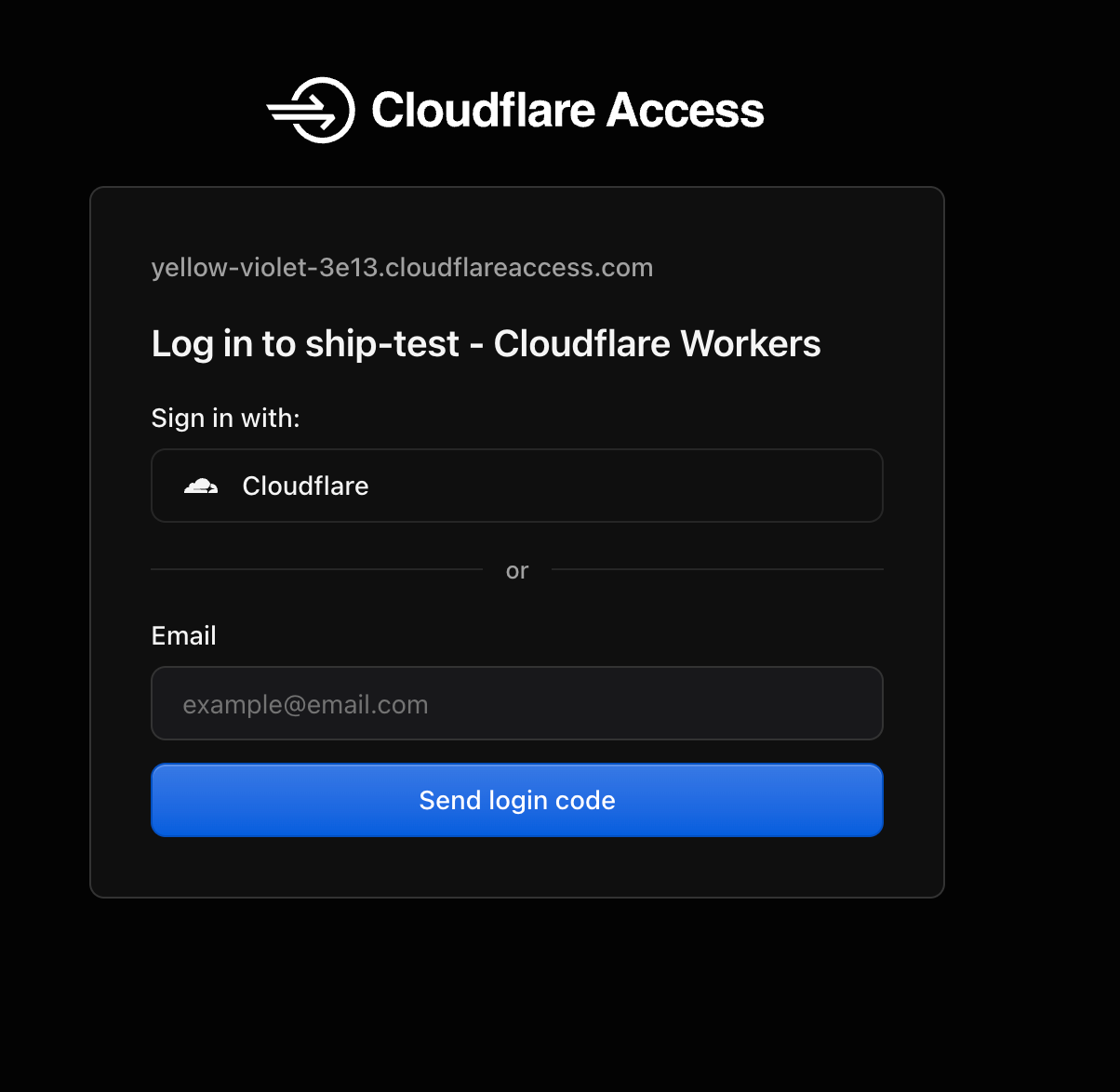
That button only works for members of my Cloudflare account. New Zero Trust setups start with just that one login method, so my evenflo.tech address had nowhere to go. The fix is a second login method called One-time PIN, which emails a code. It lives under Integrations, then Identity providers, not under Settings, where we first looked.
The test
My evenflo.tech address got a code and got in. My Gmail address got no code, and the page didn’t let on: it says a code was sent either way. That’s on purpose, so nobody can find out which addresses are allowed.
Working with Claude on this
- Claude’s first directions for the login setting were wrong. The page had moved, I sent a screenshot, and it corrected the step and the skill.
- The skill now says plainly that you need One-time PIN for anyone outside your Cloudflare account, and where to find it.
Doing it without the dashboard
Halfway through, I asked whether all this clicking could be done from the command line instead. Mostly, yes. Cloudflare has a newer command line tool, cf, that can create the Access setup, add the login method, and handle the domain’s DNS records. All three skills now use it when you’re signed in to it. Claude shows a dry run of each change first and only runs it once you say yes. A few steps still need the dashboard: turning on Zero Trust the first time, connecting GitHub, and anything at your registrar.
What’s next
All three skills have passed a real run. Next I’ll package the pack, write its page, and turn on real payments.